


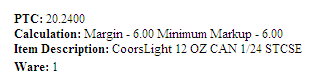
Use the PTC Calculator to calculate the PTC (Price to Consumer) of an item based on the distributor's PTR (Price to Retailer) and the margin set up for a store. A "sanity" check is performed automatically to ensure the PTC falls within the minimum/maximum markup allowed.
Follow these steps:
A. |
From the Vendor Managed Pricing tab, under Research:
The item must be authorized in the store to be chosen in following steps. This allows the application to perform a minimum/maximum markup validation. Note: If a choice is made in one field, the other fields update to match. For example, if a Brand is selected, the Packaging list provides choices only for that Brand. UPC - Enter the UPC without dashes. The default is UPCA format 5-5 (10 digits). Click the link to change the format, if needed. Brand - Select the brand. Packaging - Select the container, such as Keg or Can. Pack - Select how the item is bundled.
____________________________________________________________ |
|
B. |
Retailer Store Nbr.- Enter the store number used by the retailer. Store City - Enter part of the city, using asterisks as wild cards. Store State - Search by state. Store Region - Search by retailer store region. Distributor State - Find only stores serviced by a single distributor. Select the State then select the distributor from the list on the right. Click Expand Criteria for more search options.
____________________________________________________________ |
|
C. |
Must be less than or equal to the retailer's high PTR for the sellable item.
* Minimum Markup appears only for states with markup regulations in place. Note: An error displays if the PTC falls outside the minimum/maximum markup allowed for the store. ____________________________________________________________ |
Updated 6/29/2010
 *
*